
The Complete Guide to Google Ads Tracking (2026)
If you’re running Google Ads without proper tracking, you’re essentially flying blind.
You might be getting clicks. You might even be getting conversions. But without accurate tracking, you don’t actually know what’s working — or worse, where your money is being wasted.
In this guide, we’ll break down Google Ads tracking in a simple, practical way so you can measure performance, improve ROI, and scale confidently.
What is Google Ads Tracking?
Google Ads tracking is the process of measuring user actions after they interact with your ads.
These actions are called conversions, and they can include:
- Purchases
- Form submissions
- Phone calls
- App installs
- Add-to-cart actions
Tracking helps you answer one critical question:
👉 “Which ads are actually making me money?”
Why Tracking is So Important
Many advertisers focus on clicks and impressions. But those metrics don’t pay the bills — conversions do.
Here’s why tracking matters:
1. Measure Real ROI
Without tracking, you can’t calculate your return on ad spend (ROAS). You’re guessing, not optimizing.
2. Optimize Campaigns
Tracking shows you:
- Which keywords convert
- Which ads perform best
- Which audiences are profitable
3. Reduce Wasted Spend
You can pause underperforming campaigns and scale winners.
Types of Google Ads Tracking
Google Ads offers multiple tracking options depending on your business model.
1. Conversion Tracking (Most Important)
This tracks specific actions on your website.
Examples:
- “Thank You” page after form submission
- Purchase confirmation page
- Newsletter signup
2. Google Analytics 4 (GA4) Tracking
GA4 gives deeper insights into user behavior:
- Session duration
- Bounce rate
- User journey
When linked with Google Ads, it helps improve targeting and attribution.
3. Call Tracking
Tracks phone calls from:
- Call extensions
- Call-only ads
- Website phone clicks
4. Enhanced Conversions
Uses first-party data (like email) to improve tracking accuracy, especially after privacy changes (cookies limitations).
How Google Ads Tracking Works (Simple Explanation)
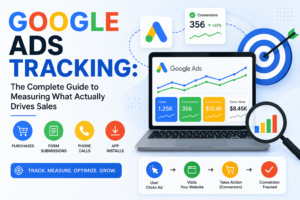
Here’s the basic flow:
- User clicks your ad
- They land on your website
- They take an action (conversion)
- A tracking tag records that action
- Data is sent back to Google Ads
That’s how Google knows which click led to a result.
How to Set Up Google Ads Conversion Tracking
Step 1: Create a Conversion Action
- Go to Tools & Settings → Conversions
- Click New Conversion Action
- Choose:
- Website
- App
- Phone calls
- Import (from GA4)
Step 2: Install the Tracking Tag
You have two main options:
Option A: Google Tag (gtag.js)
Install directly on your website.
Option B: Google Tag Manager (Recommended)
Easier and more flexible:
- No coding needed
- Better for scaling
- Cleaner setup
Step 3: Add Conversion Event
Examples:
- Button click
- Form submission
- Purchase event
Step 4: Test Your Tracking
Always test before running ads:
- Use Google Tag Assistant
- Check real-time data in GA4
- Confirm conversions are recorded
Common Tracking Mistakes (Avoid These)
❌ Not setting up tracking at all
Surprisingly common — and very costly.
❌ Tracking wrong events
Tracking page views instead of actual conversions.
❌ Duplicate conversions
Fires multiple times → misleading data.
❌ Not linking GA4 with Google Ads
You lose valuable insights and audiences.
Pro Tips for Better Tracking
- ✅ Use Google Tag Manager for flexibility
- ✅ Set up Enhanced Conversions
- ✅ Track micro + macro conversions
- ✅ Regularly audit your tracking setup
- ✅ Use conversion values (especially for eCommerce)
Final Thoughts
Google Ads tracking isn’t just a technical setup — it’s the foundation of profitable advertising.
If your tracking is:
- Accurate → You scale confidently
- Broken → You waste money
So before increasing your budget, make sure your tracking is solid.
Want Better Results from Your Google Ads?
If you’re struggling with tracking or not seeing results from your campaigns, fixing your tracking setup is usually the first and biggest win.
Because once you see the real data — everything changes.