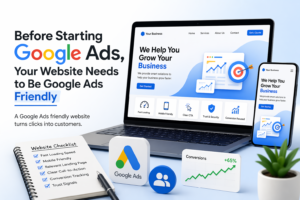

A well-optimized website is the difference between wasted ad spend and consistent, high-quality conversions.
Running Google Ads can drive a lot of traffic—but traffic alone doesn’t bring results. If your website isn’t prepared to convert visitors into leads or customers, you’ll end up wasting budget. Before launching any campaign, it’s essential to make sure your website is Google Ads-friendly.
Let’s break down what that actually means.
Your Website Is Part of the Ad Strategy
Many businesses think Google Ads success depends only on targeting, keywords, and budget. In reality, your website plays an equally important role. Even the best campaign can fail if the landing page doesn’t meet user expectations.
When someone clicks your ad, they’ve already shown intent. Your job is to make it easy for them to take the next step.
Page Speed Can Make or Break Conversions
Users expect fast-loading pages. If your website takes too long, they leave before even seeing your offer.
A slow site not only increases bounce rate but also affects your Quality Score, which can increase your cost per click.
Focus on:
- Optimizing images
- Reducing unnecessary scripts
- Using reliable hosting
A faster website keeps users engaged and improves overall ad performance.
Mobile Experience Is Critical
Most of your traffic will come from mobile devices. If your site isn’t mobile-friendly, you’re losing a large portion of potential customers.
Your website should:
- Load quickly on mobile
- Be easy to navigate
- Have clear, clickable buttons
A poor mobile experience often leads to high bounce rates and low conversions.
Match Your Landing Page With User Intent
One of the most common mistakes is sending all traffic to a generic homepage.
If someone searches for a specific service, your landing page should directly address that need. The message in your ad and the content on your page must align.
For example, if your ad promotes “Home Security Installation,” the landing page should clearly focus on that service—not general information about your business.
Clear Call-to-Action Is Essential
Visitors should immediately understand what action to take.
Whether it’s booking a call, filling out a form, or requesting a quote, your call-to-action should be:
- Easy to find
- Simple to follow
- Relevant to the user’s intent
Confusion leads to drop-offs. Clarity drives conversions.
Proper Tracking Is Non-Negotiable
Without accurate conversion tracking, you won’t know what’s working.
You need to track key actions such as:
- Form submissions
- Phone calls
- Purchases or bookings
Using tools like Google Tag Manager and GA4 ensures your data is reliable, allowing you to make better optimization decisions.
Build Trust Before Asking for Action
People are more likely to convert when they trust your business.
Your website should include:
- Customer reviews or testimonials
- Clear contact details
- Professional design and messaging
Trust reduces hesitation and increases conversion rates.
Keep It Simple and Focused
A cluttered website distracts users. The goal is to guide them toward one clear action.
Avoid unnecessary elements and keep your layout clean. The easier it is for users to understand your offer, the more likely they are to convert.
Final Thoughts
Google Ads can bring the right audience to your website, but your website determines whether that traffic turns into results.
Before you invest in ads, make sure your website is optimized for speed, mobile experience, user intent, and conversions. When everything is aligned, your campaigns become more efficient, your costs go down, and your results improve.
In simple terms, a Google Ads friendly website isn’t optional—it’s the foundation of successful advertising.