
Choosing between a laptop and a desktop PC can feel confusing, especially with how powerful modern devices have become. Both options offer great performance, but the right choice depends on your lifestyle, work needs, budget, and future plans.
In this blog, we’ll compare laptops and PCs in terms of performance, portability, pricing, gaming, upgrades, and more to help you decide which one is the better investment for you.
Understanding the Difference
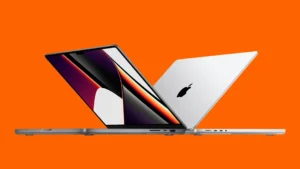
A laptop is an all-in-one portable computer with a built-in screen, keyboard, battery, and speakers. You can carry it almost anywhere and use it without needing constant power.
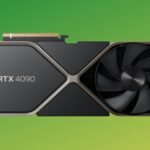
A desktop PC, on the other hand, is a stationary setup that usually includes a separate monitor, keyboard, mouse, and CPU tower. It is designed for performance, customization, and long-term use.
Performance: PC Usually Wins
When it comes to raw power, desktop PCs generally outperform laptops at the same price point.
Why PCs Are More Powerful
- Better cooling systems
- More powerful processors and graphics cards
- Higher upgrade potential
- Consistent performance during heavy tasks
If you work with:
- Video editing
- 3D rendering
- Graphic design
- Programming
- Gaming
- AI or machine learning
A desktop PC will usually give you better performance and value.
Laptop Performance Today
Modern laptops are much more capable than before. High-end laptops can handle demanding tasks, but they often cost significantly more than a desktop with similar power.
Portability: Laptop Takes the Lead
This is where laptops dominate.
You can:
- Work from cafés
- Attend classes
- Travel easily
- Take meetings anywhere
- Work remotely during power outages
For students, freelancers, remote workers, or business travelers, portability can be a game changer.
If mobility matters to you, a laptop is the clear winner.
Price Comparison
Desktop PCs Offer Better Value
A desktop usually provides:
- More performance for the same budget
- Cheaper upgrades
- Longer lifespan
For example, a $1,000 desktop often performs better than a $1,000 laptop.
Laptops Cost More for Convenience
With laptops, you’re paying extra for:
- Compact design
- Battery
- Built-in display
- Lightweight hardware
So while laptops are convenient, they can be more expensive for the same level of performance.
Upgradability and Repairability
Desktop PCs Are Easier to Upgrade
You can easily replace or upgrade:
- RAM
- Graphics card
- Storage
- Processor
- Cooling system
- Power supply
This makes PCs future-proof and budget-friendly over time.
Laptops Have Limitations
Most laptops offer limited upgrade options. In many modern models:
- RAM is soldered
- Storage upgrades are restricted
- Repairs can be expensive
If long-term flexibility matters, PCs have a major advantage.
Gaming Experience
For gamers, desktop PCs are usually the preferred option.
Why Gamers Prefer PCs
- Better graphics performance
- Higher frame rates
- Better cooling
- Larger monitors
- Easier hardware upgrades
Gaming laptops exist and can perform very well, but they tend to:
- Heat up quickly
- Be more expensive
- Have shorter battery life during gaming
If gaming is your top priority, a desktop PC is generally the smarter choice.
Battery and Power Usage
Laptop Advantage
Laptops include built-in batteries, allowing you to work without electricity for several hours.
This is especially useful for:
- Students
- Travelers
- Areas with power interruptions
PC Advantage
Desktop PCs don’t rely on batteries, so you never need to worry about charging cycles or battery degradation.
However, they require constant power and are less energy-efficient overall.
Space and Setup
Laptops Save Space
A laptop fits almost anywhere:
- Small desks
- Dorm rooms
- Coffee shops
Minimal setup is needed.
PCs Need Dedicated Space
A desktop setup usually requires:
- Desk space
- Cable management
- External accessories
But in return, you get a more comfortable and customizable workstation.
Which One Is Best for Students?
Choose a Laptop If:
- You attend classes daily
- Need portability
- Study in different locations
- Want an all-in-one solution
Choose a PC If:
- You study from home
- Need heavy software performance
- Want long-term value
- Focus on gaming or editing
Many students prefer laptops because convenience matters more in daily academic life.
Which One Is Better for Professionals?
Laptop Is Better For:
- Remote workers
- Digital nomads
- Sales professionals
- Frequent travelers
PC Is Better For:
- Video editors
- Designers
- Gamers
- Engineers
- Developers with demanding workloads
Your workflow should decide your choice.
Final Verdict: Laptop or PC?
There’s no universal winner because both devices serve different needs.
Choose a Laptop if:
- You need portability
- You travel often
- You work remotely
- You want convenience and flexibility
Choose a Desktop PC if:
- You want maximum performance
- You plan to upgrade hardware
- You want better gaming performance
- You need long-term value for money
In the end, the best device is the one that fits your lifestyle and daily tasks.
Before buying, think carefully about:
- Your budget
- Performance needs
- Portability requirements
- Future upgrade plans
Once you know your priorities, choosing between a laptop and a PC becomes much easier.